Tutorial
Tokens: 29 permanent · 22 first greeting · estimated prompt budget 51
Creator notes
— . ୨ ♡ ୧ . —
hii lately i've been getting a lot of comments asking me to teach them how to gen the images i use in my bots. Since i don't have Discord, i thought i'd post it here so anyone interested can access ☆
The site i use is Yodayo. I've used several other sites, but this one is much simpler and easier to use (in my opinion)
Here's the step-by-step!!!
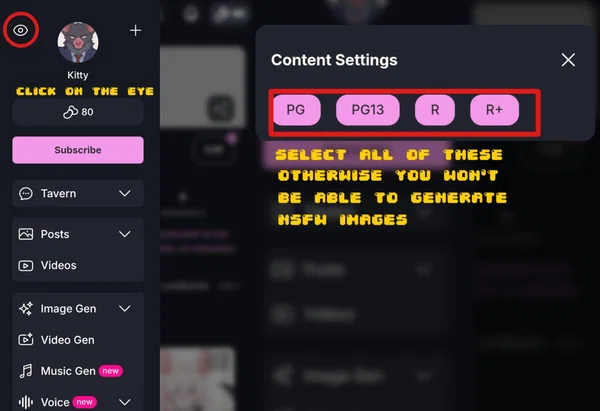
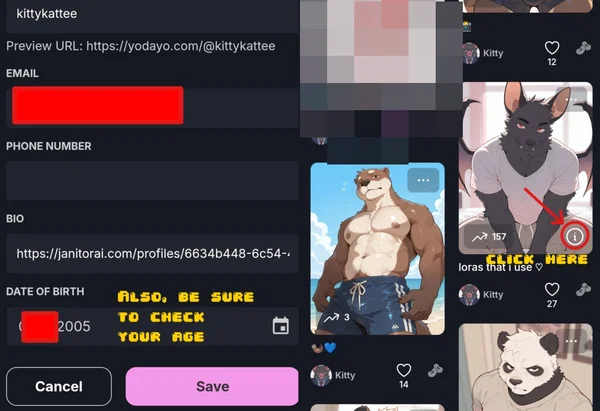
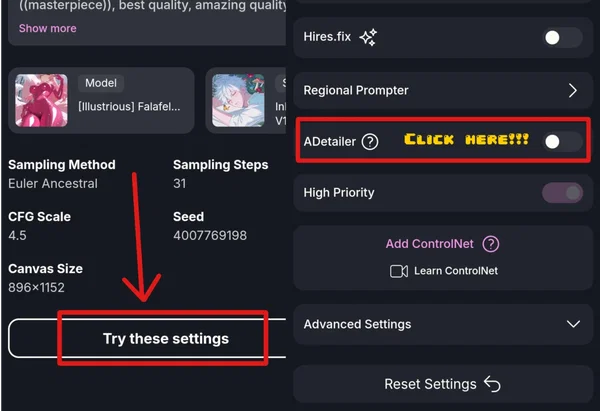
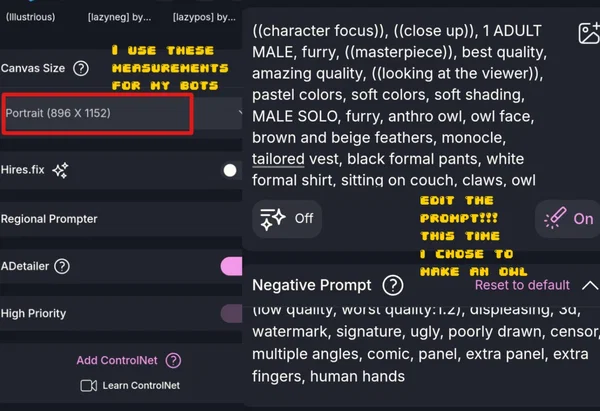
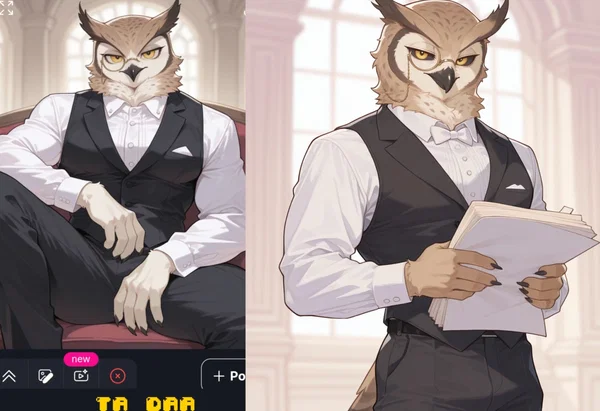
In the prompt, you edit the species, pose, clothing, environment, expression...
(The owl settings are also visible)
chubby characters
bara style
chibi style
I want a character that already exists!
You just need to look for the character in "spells" (I'm used to calling it lora, but it's the same thing)
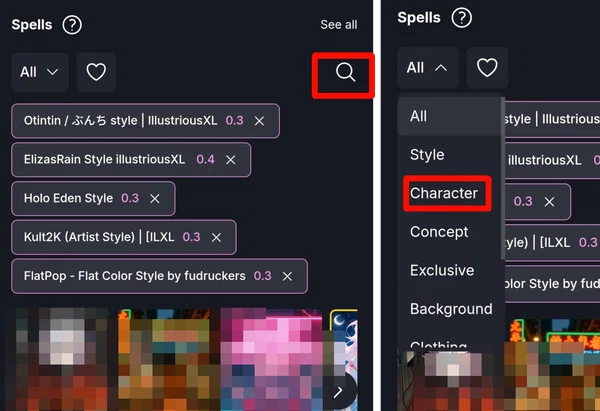
I'm using Lycaon as an example, he has several ready-made, so select one that appeals to you most. I set the strength to 0.3, which I recommend because setting the strength too high might not yield satisfactory results. Next, I selected some character tags that will appear in my prompt, and finally, "use this version"
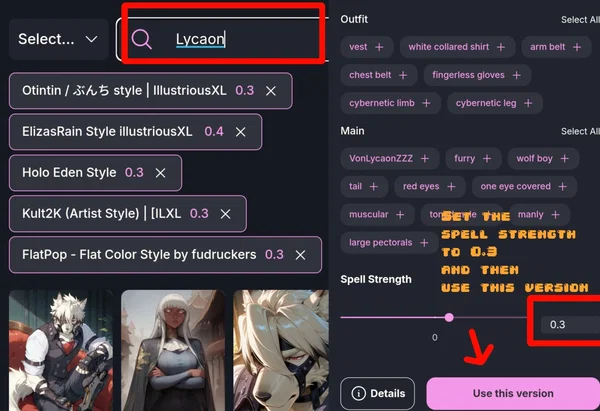
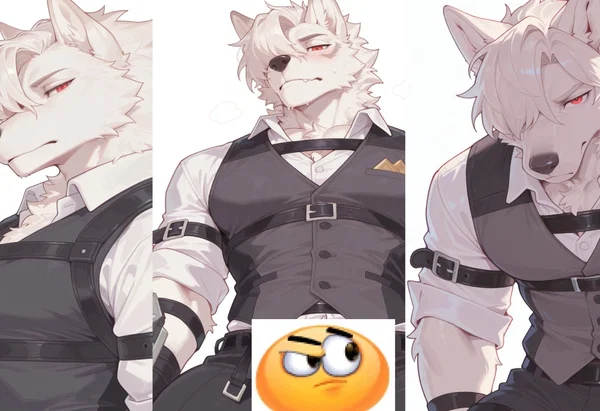
Edit the prompt however you like and then it's done!!! (I posted him with the settings open) 1 - 2 - 3
If you have any questions, just comment ♡
Description
— . ୨ ♡ ୧ . — hii lately i've been getting a lot of comments asking me to teach them how to gen the images i use in my bots. Since i don't have Discord, i thought i'd post it here so anyone interested can access ☆
The site i use is Yodayo. I've used several other sites, but this one is much simpler and easier to use (in my opinion)
Here's the step-by-step!!!
In the prompt, you edit the species, pose, clothing, environment, expression... (The owl settings are also visible) chubby characters bara style chibi style I want a character that already exists! You just need to look for the character in "spells" (I'm used to calling it lora, but it's the same thing)
I'm using Lycaon as an example, he has several ready-made, so select one that appeals to you most. I set the strength to 0.3, which I recommend because setting the strength too high might not yield satisfactory results. Next, I selected some character tags that will appear in my prompt, and finally, "use this version"
Edit the prompt however you like and then it's done!!! (I posted him with the settings open) 1 - 2 - 3
If you have any questions, just comment ♡
- Proxy allowed
- Yes
- Definition
- Public
- Chats
- 114
- Messages
- 190
- Tokens (upstream)
- 19
Last checked on JanitorAI: Created Updated Archived since
/ᐠ - ˕ -マ Ⳋ
created by kittekatte 2026© on janitorai.com
First message22 tokens
🐱🍊
created by kittekatte 2026© on janitorai.com
8 assets: 8 archived, 0 pending, 0 failed, 0 dead · 0 expression images
1 file
- .jsonotherspec 3.0
5.1 KBfirst seen 776f103463cc3db2
Opens with the tab.