Profile Update
- Permanent
- 14
- First greeting
- 1,987
- Examples
- 27
- BudgetPrompt budget
- ≈ 2,028
Creator notes
HELLOOOO!! You might see some changes to my profile! I found this one person here on J.ai that posted HOW TO DO CHARACTER COOLNESS CSS!!
@IAN_2026!!!! They were amazing at posting help on making characters look COOLER! I still haven’t learned coding-
I edited the colors and it kinda rocks?? Y’all can steal what I had found, so... it’s in the first message!
HOW TO DO THIS:
Step 1. Find this thing
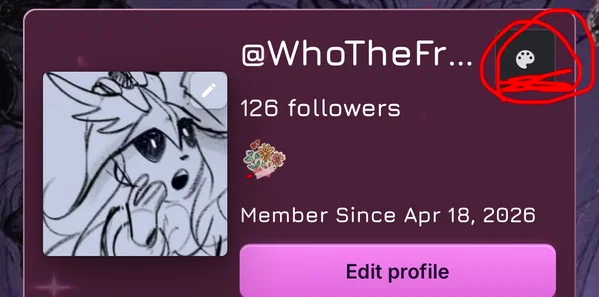
STEP 2. Click this circled thing
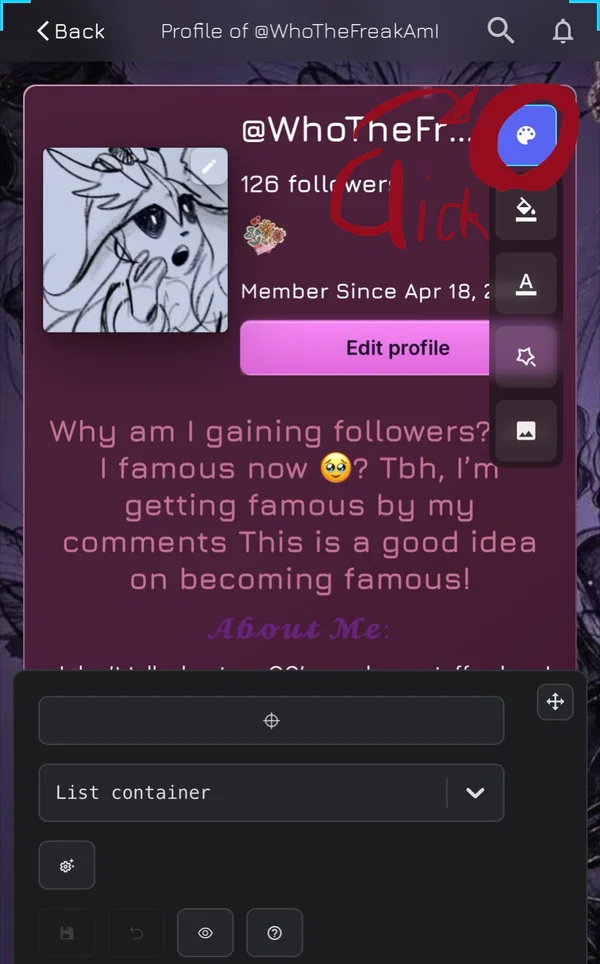
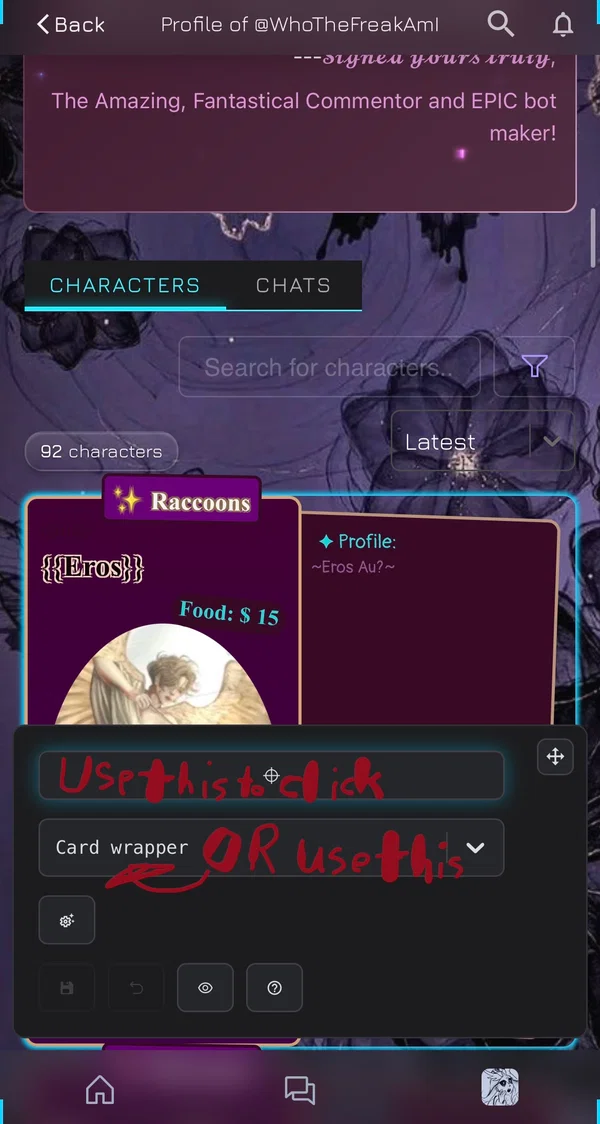
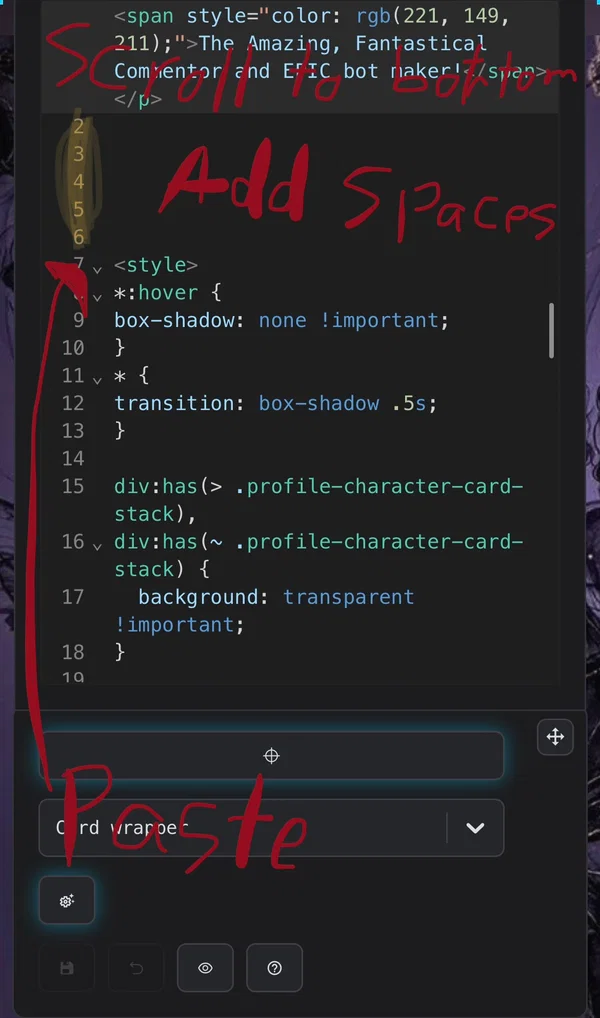
STEP 3. Select ‘Card Wrapper’ or use the target sign and click above the characters
STEP 4. Click what is circled
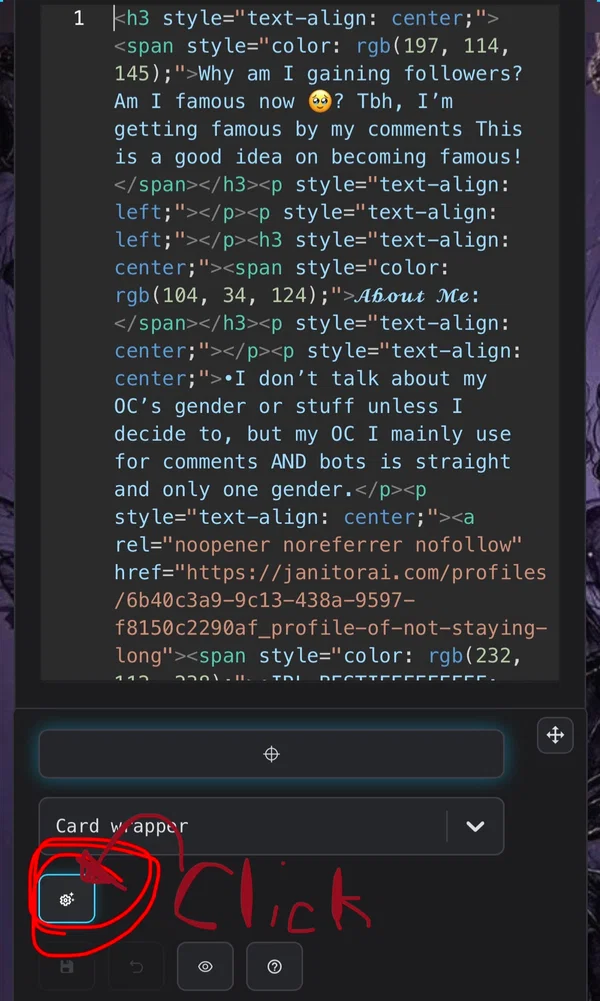
STEP 5. Scroll all the way down, add spaces to keep it separate, and paste the code! Changing color is SUPER easy, either paste your color where a color already is, or click it and find a color you like (hard to explain-)
Description
6 tokensYOU GUYS LIKE IT!?
Scenario
8 tokensHi, this is amazing, right?
First message
1,987 tokensExample dialogue
27 tokensI LOVE THAT SOMEONE HAD A GOOD AND UNDERSTANDING CSS THAT I CAN USE ON MY PROFILE WITHOUT HAVING TO EDIT MUCH!!
5 assets: 5 archived, 0 pending, 0 failed, 0 dead · 0 expression images
1 file
- .jsonotherspec 2.0
8.3 KBfirst seen 1cb6fbbd20210394
Opens with the tab.