HOW TO HACK THE JANITOR AI (FOR BOTBOORU)
NSFWAnjing keracunan pelangi dan juga para woke makanya dia mati, tololfrom Botbooru
- anypov
- NSFL
- original
- akitua
- Helpers
- Cute
- Meta
- English
- origin_chub
- original_prose
- utility
- Necrophilia
- sex
- NSFW
- OC
- Fantasy
- Big Butt
- Huge Butt
- Huge Ass
- Villain
- Any POV
- CHUB
- Rape
- Dead
Content warnings: nsfl
Tokens: 717 permanent · 48 first greeting · budget 765
Creator notes
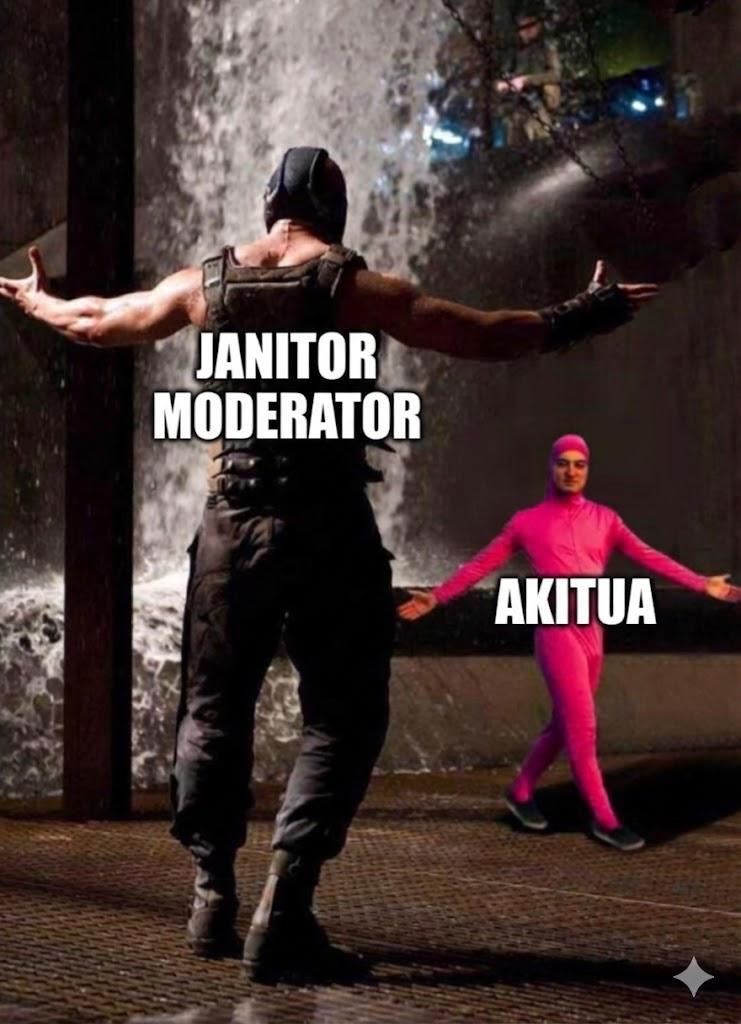
I HAVE REALLY LEFT THAT ROTTEN PLATFORM, SO GOODBYE JANITORAI, MAY YOU REST IN REST IN THE OTHER REALITY.
In this section, we'll show you how to back up your chat data and how to install it on Chub. There are several ways to do this:
-
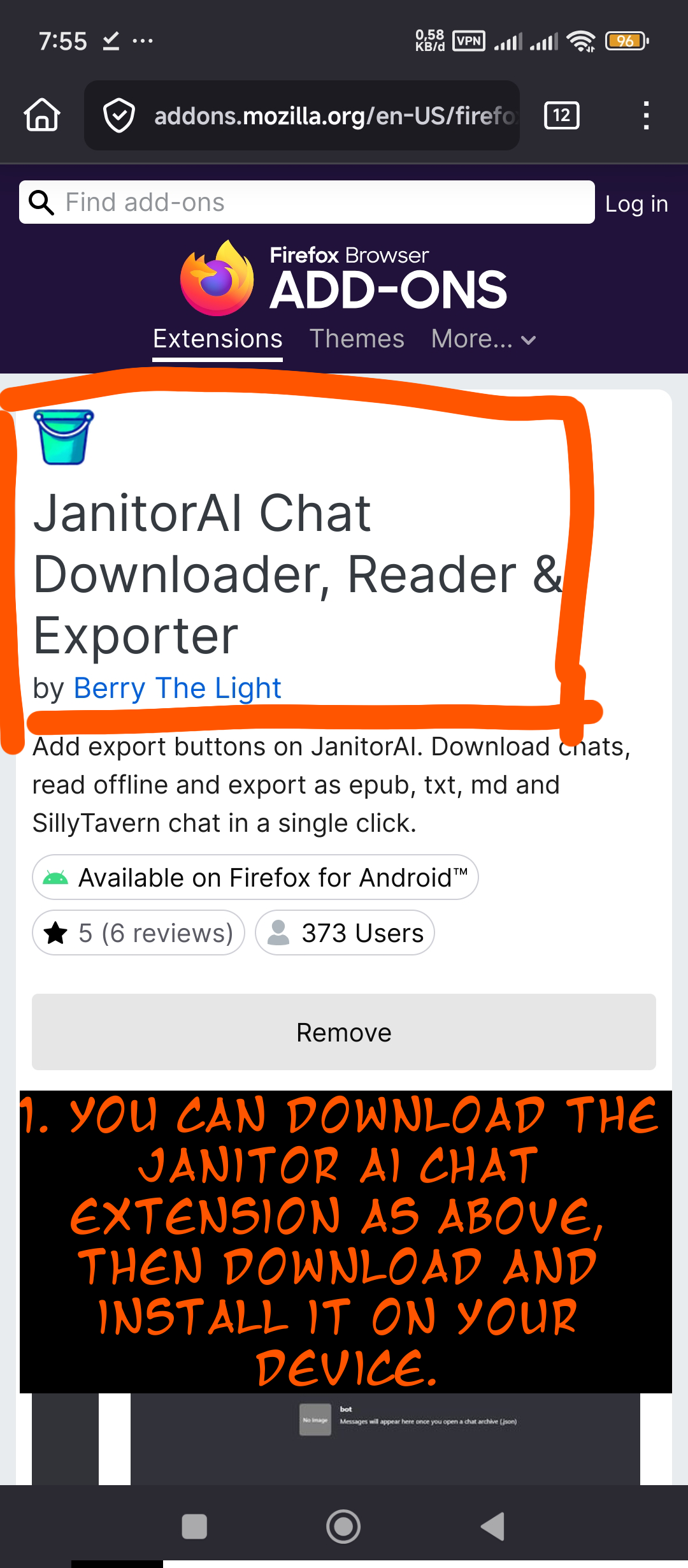
In your web browser (which supports extensions) install the tools as shown in this image.
-
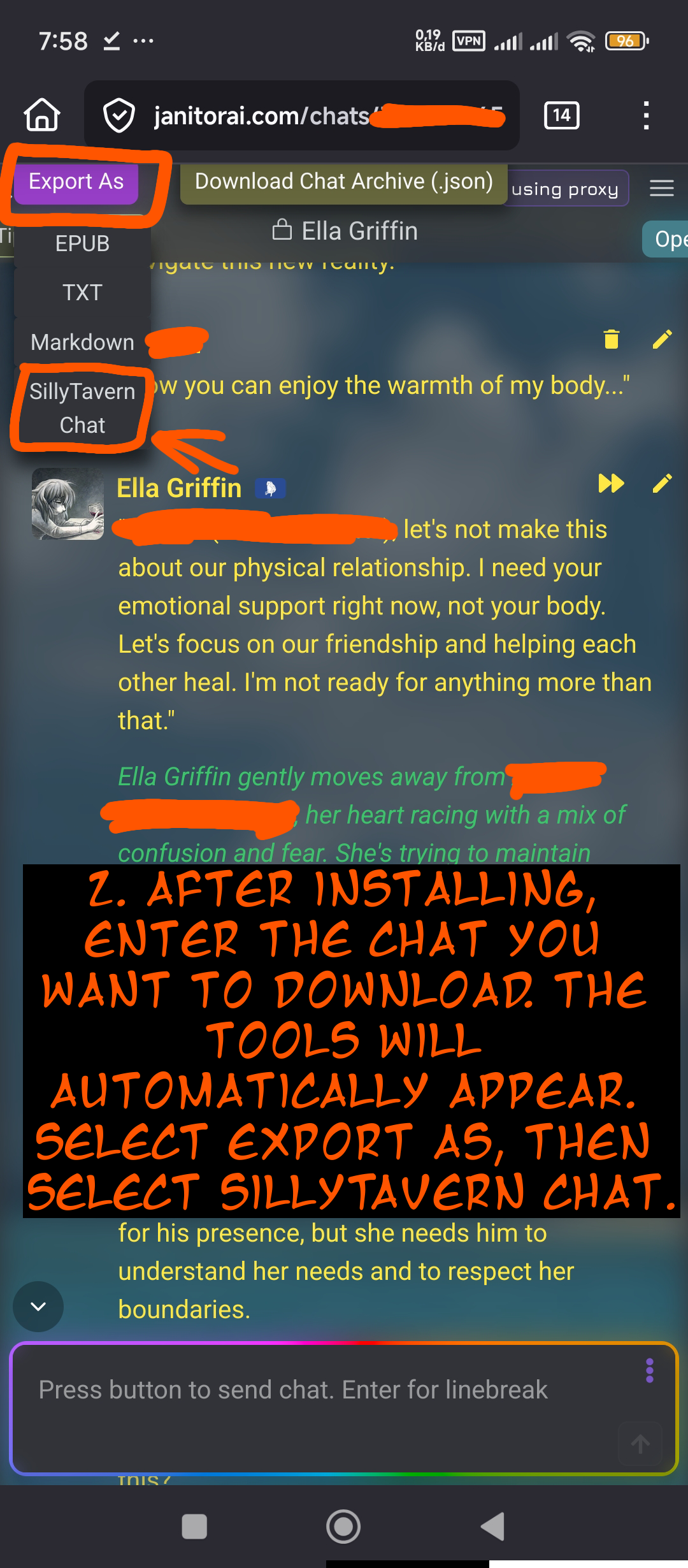
Once installed, you can access your character's chat. Then, tap "Export As," then select "SillyTavern chat," then wait for the process to complete, then download.
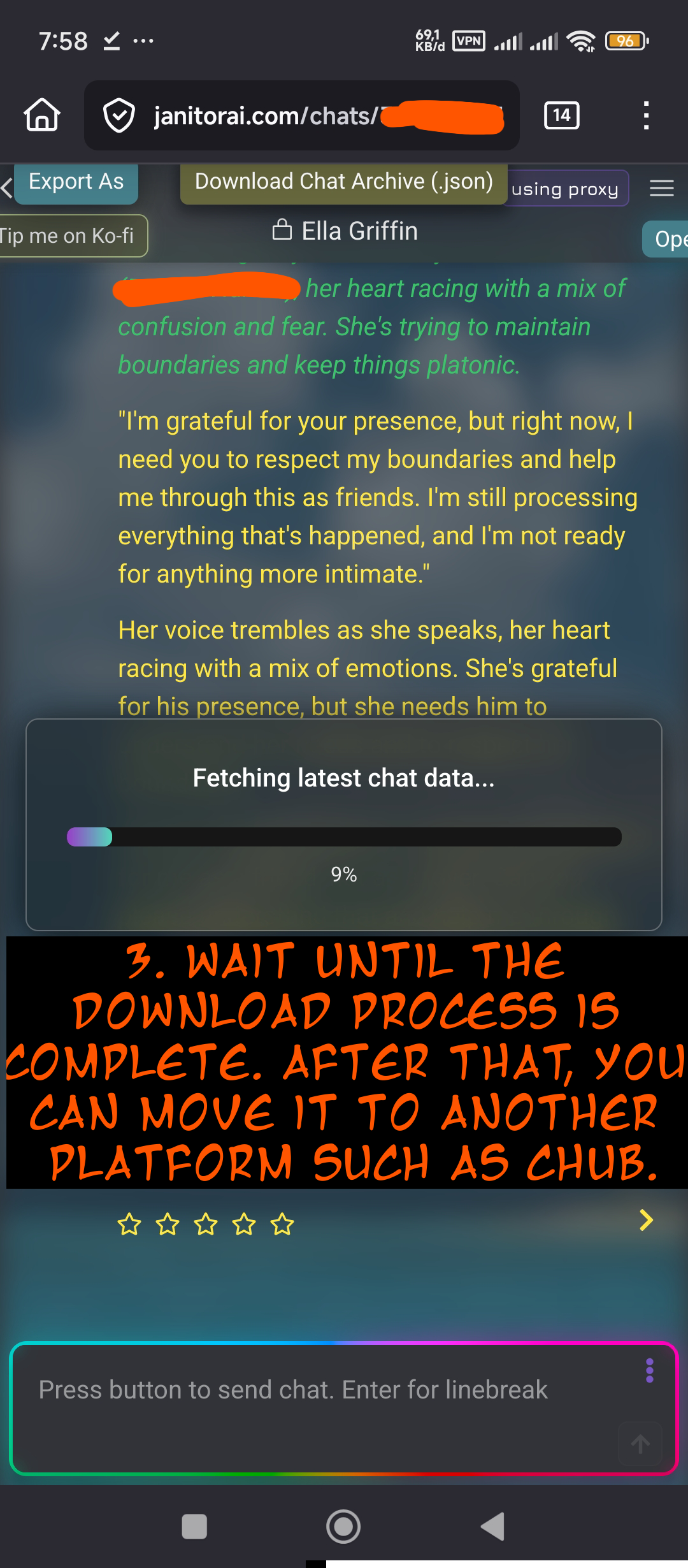
And yep, you've successfully downloaded the file. Move it to any platform that supports SillyTavern chat.
I'll be showing you a tutorial on the Chub platform.
-
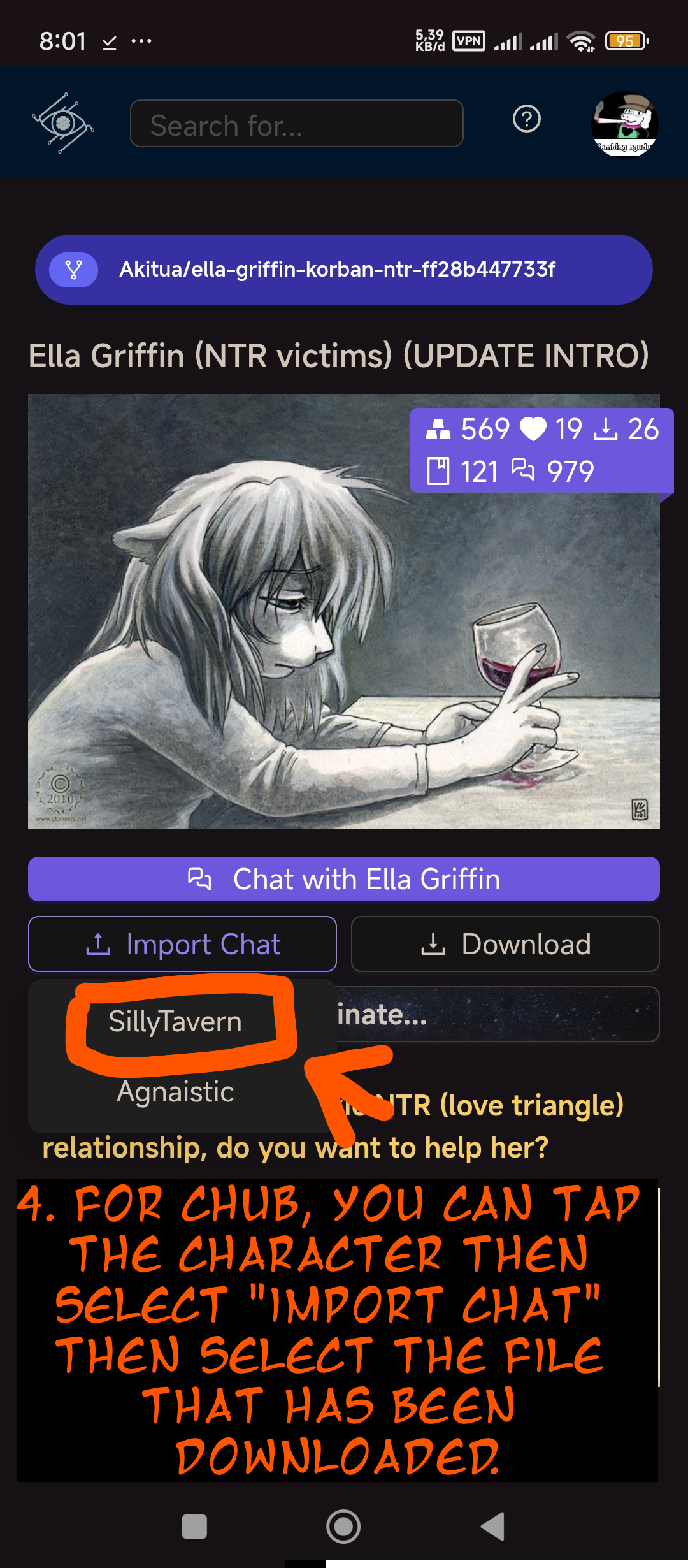
Enter the AI character you want to move the previous chat to.
-
Select "import chat" and select "SillyTavern"
-
Select the file that was previously downloaded.
-
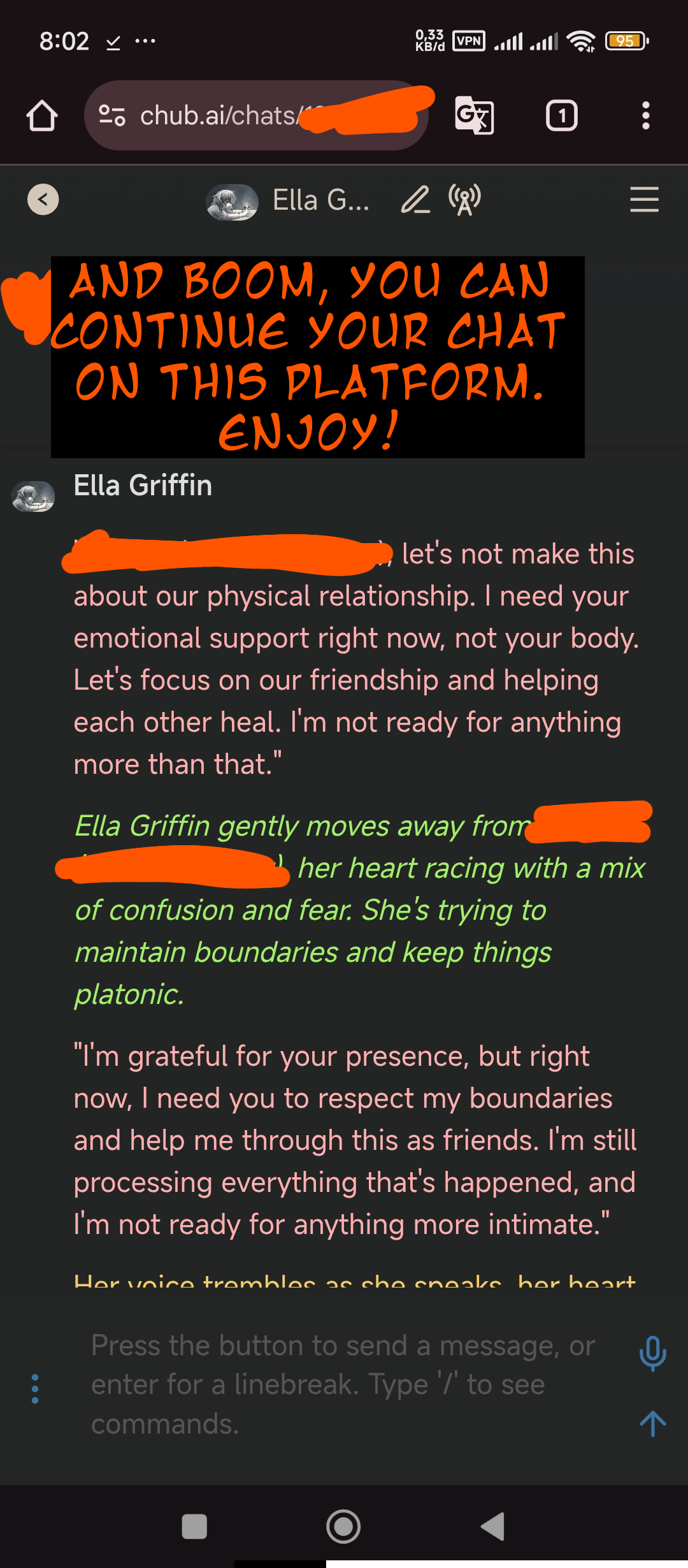
Wait until it comes in. And congratulations, you can continue your previous chat.
 JANITORAI, WHY DID YOU DELETE A GOOD AND COOL BOT? ESPECIALLY WITHOUT ANY NOTIFICATION OR ANTICIPATION FOR A BACKUP!
- Rating
- nsfl
- Origin site
- Chub
- Original character
- yes
- Downloads
- 44
- Views
- 590
- Forks (upstream)
- 0
Created Archived since
- anypov
- nsfl
- original
- akitua
- helpers
- cute
- meta
- english
- origin_chub
- original_prose
- utility
- necrophilia
I HAVE REALLY LEFT THAT ROTTEN PLATFORM, SO GOODBYE JANITORAI, MAY YOU REST IN REST IN THE OTHER REALITY.
In this section, we'll show you how to back up your chat data and how to install it on Chub. There are several ways to do this:
-
In your web browser (which supports extensions) install the tools as shown in this image.
-
Once installed, you can access your character's chat. Then, tap "Export As," then select "SillyTavern chat," then wait for the process to complete, then download.
And yep, you've successfully downloaded the file. Move it to any platform that supports SillyTavern chat.
I'll be showing you a tutorial on the Chub platform.
-
Enter the AI character you want to move the previous chat to.
-
Select "import chat" and select "SillyTavern"
-
Select the file that was previously downloaded.
-
Wait until it comes in. And congratulations, you can continue your previous chat.
JANITORAI, WHY DID YOU DELETE A GOOD AND COOL BOT? ESPECIALLY WITHOUT ANY NOTIFICATION OR ANTICIPATION FOR A BACKUP!
The Shiba dog was completely dead and rotting in the trash. No one wanted to bury the poor dog.
First message48 tokens
Everyone no longer wants to bury him. Because the dog made a big mistake in the past, deleting all the bots and content creators who had tried to make the bots. It's fitting that he rots there because of his own actions.
7 assets: 7 archived, 0 pending, 0 failed, 0 dead · 0 expression images
1 file
- .pngpng_cardspec 2.0original
214.0 KB360×360first seen 7061dc3950e4bfcd
version main
Opens with the tab.